Section 1/7How AI credits work
AI agents are billed per action. How to budget for them
AI in CRMs and Microsoft 365 is paid for in credits, not per user. The bill depends on how much the agents do and what happens when the credits run out.
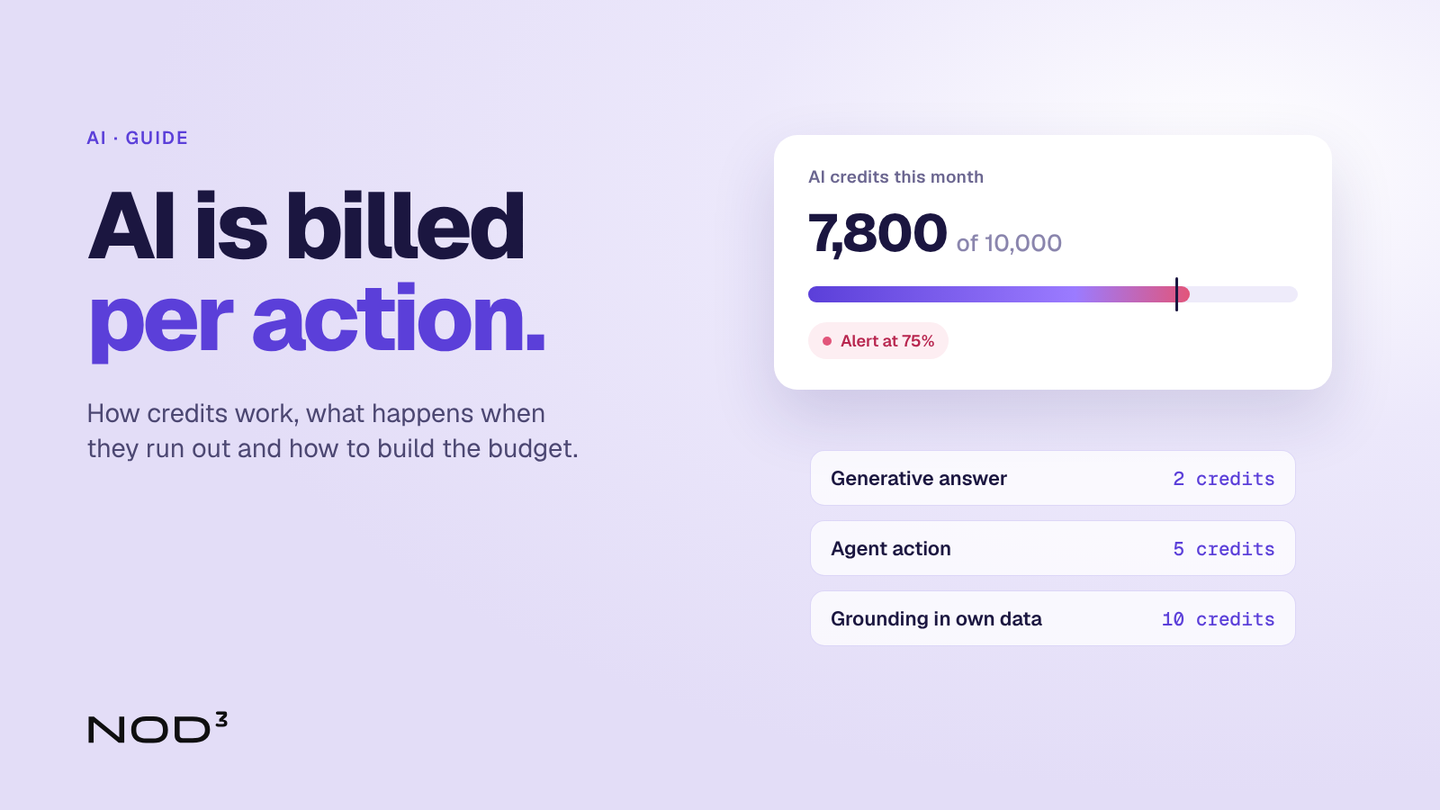
When a company buys a CRM or Microsoft 365, it usually counts users: ten licences, one monthly price. The AI agents in the same system are counted differently. They use AI credits for every answer, every action and every workflow they run. The credits run out, reset every month or are billed afterwards.
On 15 October 2026, HubSpot introduced new caps and payment options for AI (opens in a new tab), and the same week Microsoft updated its billing rates for agents in Copilot Studio (opens in a new tab). Both show the same thing: the AI bill follows how much the agents do, not how many people hold a licence. A company that switches on an agent without estimating the volume, and without deciding what happens when the credits run out, ends up with either an agent that stops mid-month or an invoice nobody budgeted for.
How AI credits work
An AI credit is the system's own counter for AI work. Each vendor decides how many credits an action costs and what a credit costs in money. A few patterns repeat (checked in October 2026):
Credits come with the licence, but the amounts differ. In HubSpot (opens in a new tab) the included credits depend on the highest product tier, for example 5,000 a month for Enterprise and 3,000 for Marketing Hub Professional. They don't add up across hubs.
They reset every month. In HubSpot, unused credits expire at the end of the period, so a quiet month saves nothing for a busy one.
Different actions cost different amounts. In Copilot Studio (opens in a new tab) a classic answer costs 1 credit, a generative answer 2, an agent action 5 and grounding in the company's own data through Microsoft Graph 10 credits per message.
Who uses the agent matters. Microsoft does not charge credits when employees with a Microsoft 365 Copilot licence use an internal agent. An agent that answers customers on the website uses credits for every answer.
The same agent can be almost free internally and cost money every day when it faces customers. The budget therefore has to start with what the agent will do and for whom, not with the licence.
Four systems side by side
| System | How AI is counted | Price (October 2026) | Controls and running out |
|---|---|---|---|
| HubSpot (opens in a new tab) | HubSpot Credits included per product tier, plus packs | Usage beyond the pack is billed afterwards | Without purchased packs, features pause until next month. With packs, a cap is set 50 percent above the monthly credits |
| Microsoft Copilot Studio (opens in a new tab) | Copilot Credits pooled across the organisation | 1 to 12 credits per answer, 5 per agent action | Agents are disabled at 125 percent of prepaid capacity, unless pay-as-you-go is connected |
| Salesforce Agentforce (opens in a new tab) | Flex Credits or a price per conversation | USD 500 per 100,000 credits, 20 credits per action, or USD 2 per conversation | The list price is indicative, terms are set in the contract |
| Attio (opens in a new tab) | Credits per user and shared across the workspace | Pro: 1,000 per user and 10,000 for the workspace each month, 5,000 extra for USD 85 a month | More credits are bought as add-ons |
The table shows why comparing licence prices is not enough when AI is part of the choice. Two systems with the same price per user can produce very different bills for the same work. We compare the licences in CRM comparison 2026.
What happens when the credits run out?
This is the question most often missing from the budget, and it is a business decision, not a technical setting. The systems handle it in three ways:
Pause. In HubSpot, without purchased packs, features stop until the next reset. That is harmless for an agent enriching leads in the background, but not for an agent answering customers.
Disable. In Copilot Studio, agents are disabled when usage reaches 125 percent of prepaid capacity. Ongoing conversations finish first, then anyone writing to the agent is told it has reached its usage limit.
Pay-as-you-go. Both HubSpot and Microsoft can bill usage beyond the prepaid credits afterwards. The agent keeps going, and the bill is limited only by the cap that is set: in HubSpot 50 percent above the monthly credits by default, in Microsoft none unless someone sets one per agent.
Our view: an agent that faces customers should never be able to stop without a person taking over. It should run on pay-as-you-go with a hard cap and an alert well before the cap is reached. An agent working in the background, such as lead research, can be allowed to pause. That decision is made per agent, before it goes live.
The licence shows what it costs to have AI. The credits show what it costs to use it.
Building a budget: an example
A professional services firm with 60 employees receives 600 support tickets a month and wants an AI agent on its website to handle 40 percent of them, which is 240 conversations. We assume a conversation averages four answers and one action, for example the agent creating a ticket in the CRM. The assumptions are ours. The prices per action come from the vendors' own price lists in October 2026.
| Setup | Calculation | Per month |
|---|---|---|
| Copilot Studio, answers from its own knowledge base | 240 × (4 × 2 + 5) | 3,120 credits |
| Copilot Studio, every answer grounded in Microsoft Graph | 240 × (4 × (10 + 2) + 5) | 12,720 credits |
| Salesforce, paid per action | 240 × 5 actions × 20 credits | 24,000 credits, USD 120 |
| Salesforce, paid per conversation | 240 × USD 2 | USD 480 |
Two things stand out. In Salesforce, the same work costs four times as much depending on the pricing model. In Copilot Studio, usage quadruples when the agent searches the company's own data for every answer instead of a defined knowledge base. How the agent is built affects the bill as much as how much it is used.
Allow a buffer for the first months. The volume is a guess until the agent has been live for a while, and the real figures should set the cap.
Five settings before the agent goes live
Decide what happens at the cap. Pause, disable or pay-as-you-go, per agent and based on whether it faces customers.
Set caps at the right level. HubSpot allows limits for the whole account, per feature and per action. Copilot Studio allows a monthly cap per agent in the Power Platform admin center.
Send the alerts to someone who can act. HubSpot alerts its Super Admins and Billing Admins at 75, 85 and 90 percent and when the cap is reached. The alert should reach the person who can make the decision, not only the person who bought the licence.
Estimate, then measure. Microsoft has an agent usage estimator (opens in a new tab), but the first month's real figures beat any estimate. Track usage per agent every week at the start.
Check which users are covered. An internal agent in Copilot Studio uses no credits for employees with a Microsoft 365 Copilot licence, but does for everyone else. Who holds a licence can be the biggest item in the calculation.
How we work
The cost of AI is part of how we build agents, not a check afterwards:
Volume first: we start from tickets, leads and workflows per month and estimate credits per agent with the vendor's own prices.
Rules per agent: together we decide which agents may pause and which must keep going, and set caps and alerts accordingly.
Follow-up: in the first month we track usage against the estimate and adjust caps and setup.
Read more about how we build AI and agents and how we connect the CRM with other systems. If staff already use AI on their own, there is more in Shadow AI: whose account is it?
Frequently asked questions
What are AI credits?
A counter the vendor uses to charge for AI work, such as answers, actions and workflows. Each action costs a set number of credits. The credits are included in the licence, bought as packs or billed by usage.
Do unused credits carry over to the next month?
Not in HubSpot: credits reset every month and unused credits expire. With other vendors the contract decides, so it is worth checking before the budget is set.
Do Copilot Studio agents cost anything for companies that already have Microsoft 365 Copilot?
According to Microsoft's billing rates, an internal agent uses no credits when used by employees with a Microsoft 365 Copilot licence. Agents that answer customers, or employees without a licence, use credits.
What happens if the credits run out mid-month?
It depends on the system and the settings. HubSpot pauses features if no packs are purchased, Copilot Studio disables agents at 125 percent of capacity, and with pay-as-you-go the agent keeps going and usage is billed afterwards.
How does NOD³ help with AI costs?
We estimate usage per agent before anything goes live, set caps and alerts in the system and follow up in the first month. This is done when we build new agents and can also be done for agents already in use.
What would you like to improve?
Tell us about your situation and what you want to achieve. One of our founders will reply within two working days and help you identify a first step. The first conversation is free and there is no obligation to proceed.
What happens next?
- We review your inquiryWe read your inquiry and reply within two working days.
- We clarify the next stepWe ask follow-up questions or suggest a first conversation.
- You decide whether to proceedIf we can help, you receive a proposal for the next step with a defined scope and price.